


Updated on 28 October, 2026
How to configure the Unrecognized Device Policy
Melapress Login Security enables you to automatically alert users whenever someone logs in using their account from an unrecognized device. The alert, which is sent via email, also includes an option for the user to terminate the session if it transpires that they were not the ones who logged in.
The email alert is sent to the email address associated with the user account, ensuring the user can access it easily and act upon it if required.

Configuring the policy
To configure the unrecognized devices policy, first navigate to Login Security > Login Security Policies. Ensure that the Enable login security policies is enabled and scroll down to the Unrecognized devices policy section.
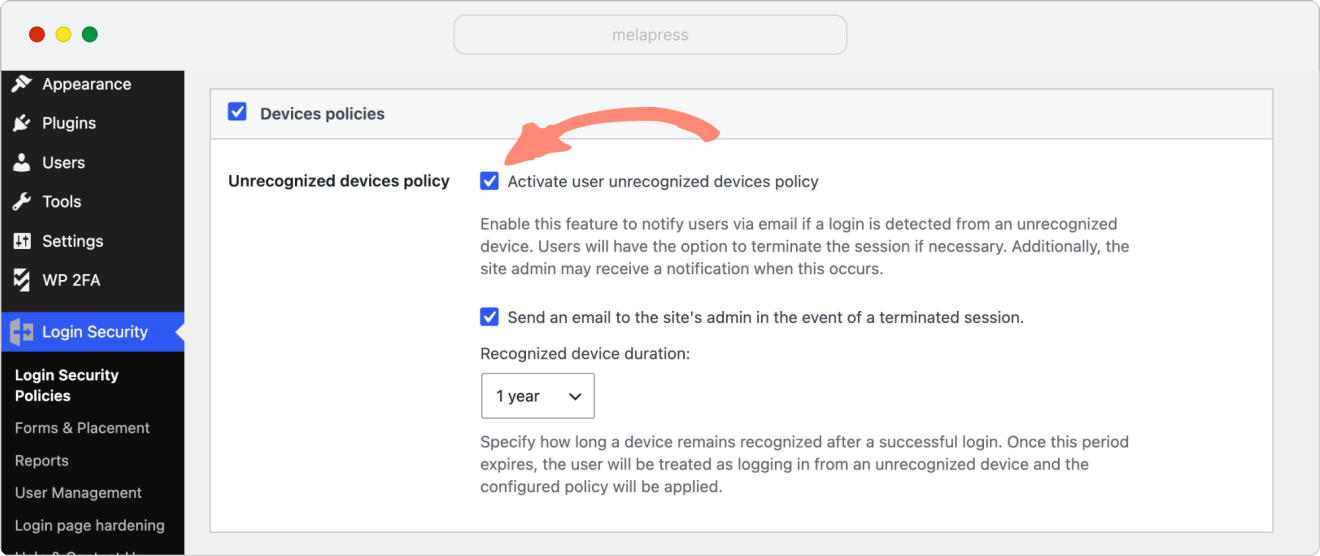
Next, enable the Activate user unrecognized devices policy option, and if you would like to be informed whenever a user terminates a session, enable the Send an email to the site’s admin in the event of a terminated session option.
You can also choose how long a device remains recognized using the new device recognition period dropdown menu. Select the period you prefer, such as 3 months, 6 months, or 1 year. Once this period expires, the device will no longer be recognized, and the user will receive an email alert the next time they log in from that device.
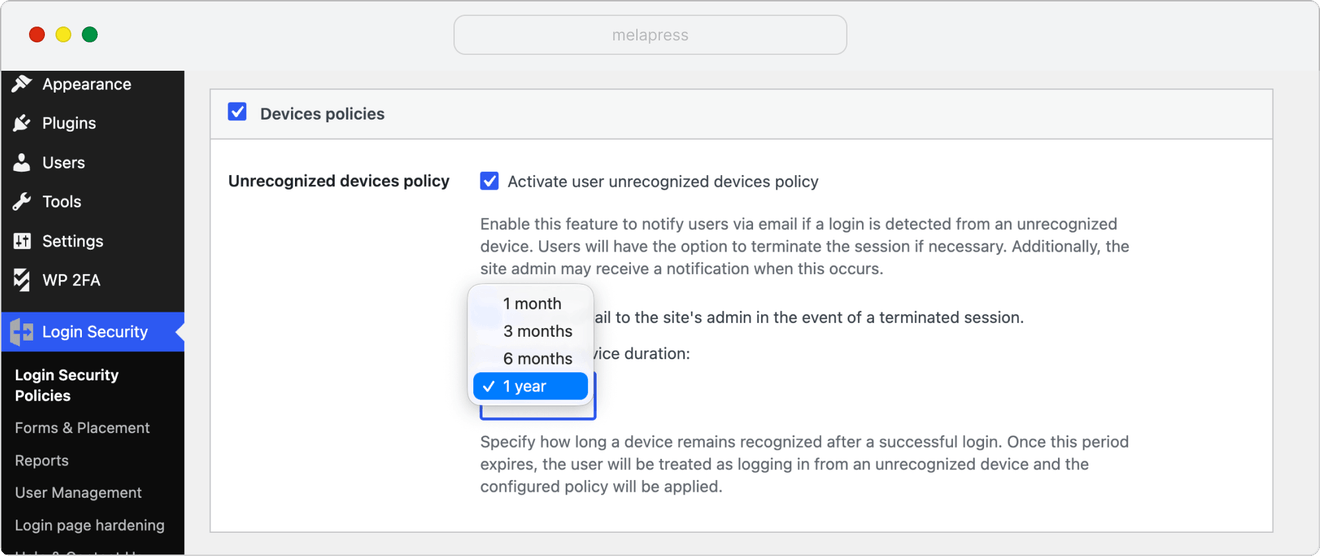
Remember to click the Save Changes button at the bottom of the page for the changes to take effect.
How users can manage their known devices
Users can also view and manage their known devices directly from their WordPress user profile.
To do this, navigate to Users > Profile in the WordPress dashboard and scroll down to the list of known devices.
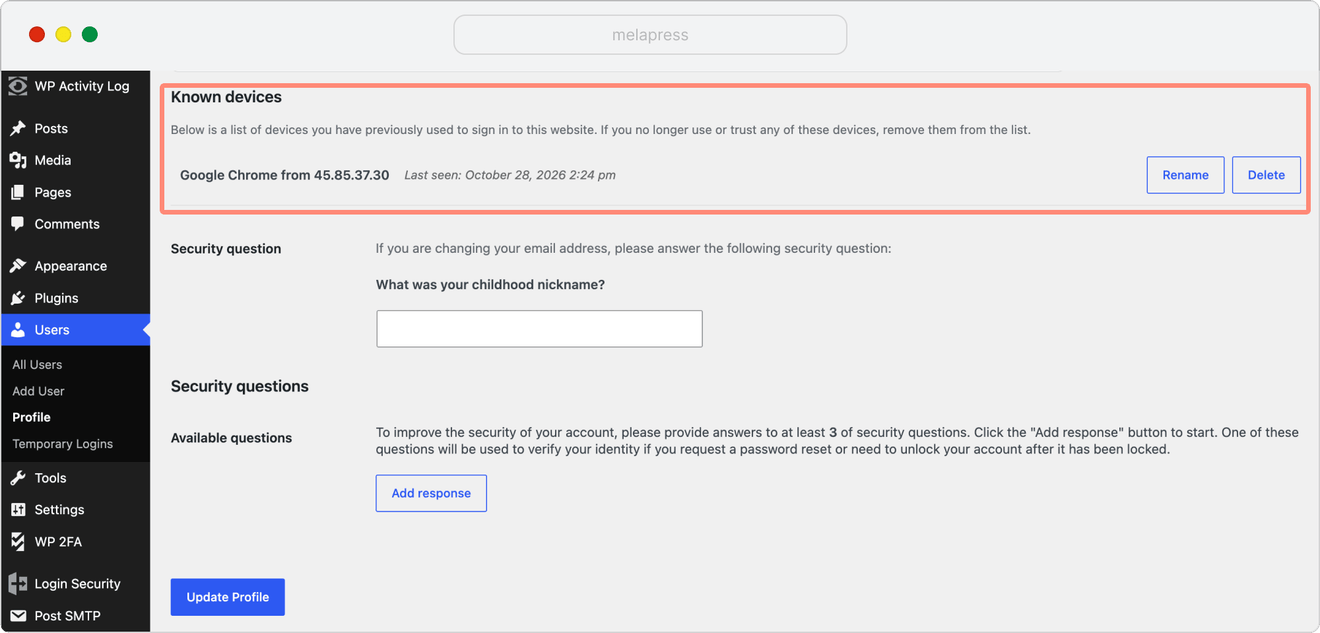
From here, users can:
- View known devices: see the devices that have been recognized when logging in to their account.
- Rename a device: give a device a recognizable name to make it easier to identify.
- Delete a device: remove a device from the list if they no longer use or recognize it.
When a device is deleted from the list, it will be treated as an unrecognized device the next time someone logs in from it, triggering a new email alert.
