



Published on 18 February, 2025 by Robert Abela
Melapress releases Melapress Role Editor
Melapress is proud to announce the release of Melapress Role Editor – an easy-to-use yet feature-rich plugin for managing WordPress roles and capabilities. Designed with a very intuitive interface and powerful tools, it puts you firmly in charge of how roles work on your WordPress site.
Take charge of WordPress user roles like a pro admin
WordPress and 3rd party plugins come with default user roles, but they do not cater to every scenario and workflow. This is where Melapress Role Editor comes in. Whether you’re running an up-and-coming blog or an enterprise WordPress website, the plugin enables you to confidently and effortlessly create the roles you need.
Why choose Melapress Role Editor?
Melapress Role Editor is designed with simplicity and security in mind.
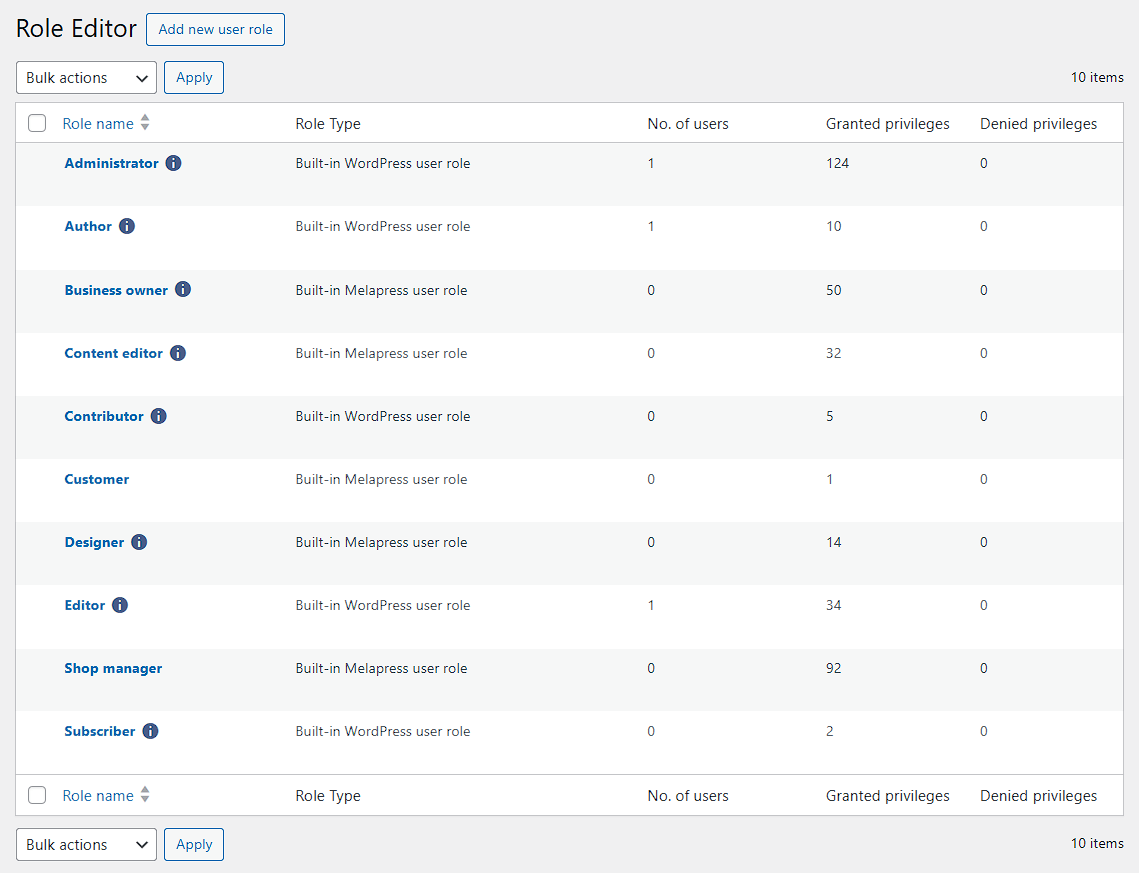
Its guided wizards, clean interface, and nifty security features make this plugin a must-have for any administrator looking to improve the security of their website. Here’s what makes it stand out:
Manage roles, easily
Thanks to its intuitive interface and well-thought-out layout, configuring roles and capabilities is now a breeze. What’s more, capabilities are displayed with clear, readable names, making it easier than ever to assign and manage permissions.
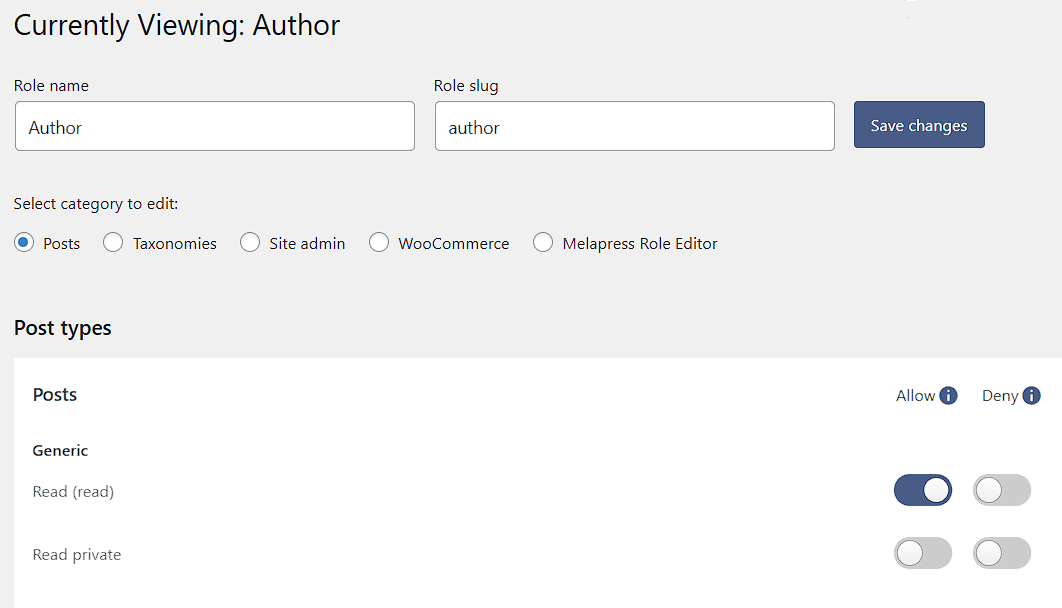
Prevent roles from taking specific actions
Melapress Role Editor enables you to explicitly deny specific capabilities to prevent accidental privilege escalation. It also ensures that users only have the permissions they truly need, abiding by the principle of least privilege.
Preset custom roles
Unsure where to start from? The plugin comes with preset custom roles based on common roles and the principle of least privilege. Use them as a starting point or launching pad for roles that fit your workflows.
Assign multiple roles to the same user
By assigning multiple roles to the same user, you can avoid creating redundant roles and cluttering your system. Streamline user management while ensuring everyone has the capabilities they need to get the job done.
Detect changes automatically
Don’t lose track of user role changes ever again. Melapress Role Editor will inform you whenever it detects a change and offers to revert back or accept new changes, so you’re never left in the dark.
Backup and restore configurations
Worried about making changes that will not work out the way you want them to? Simply take a backup of existing role configurations and quickly restore a working configuration should changes not pan out.

Better WordPress security and workflows start here
Use Melapress Role Editor to manage WordPress user roles with ease in a secure manner. Whether you’re a developer, site administrator, or business owner, this is your go-to tool for ensuring your WordPress site remains secure and well-organized.
Take control of your WordPress security and get started with Melapress Role Editor today.