


Updated on 7 October, 2026
How to select which 2FA method users can use on your WordPress site
The WP 2FA plugin supports multiple two-factor authentication (2FA) methods which the users can use. As a site administrator, you can choose which 2FA methods are available to your users.
Selecting the 2FA methods your site users can use
To enable or disable 2FA methods:
- Log in to your WordPress dashboard.
- Go to WP 2FA > 2FA policies.
- Find the Select primary 2FA methods section.
- Use the toggle next to each method to enable or disable it.
- Drag and drop the methods to change the order in which they are shown to users.
- Click Save settings.
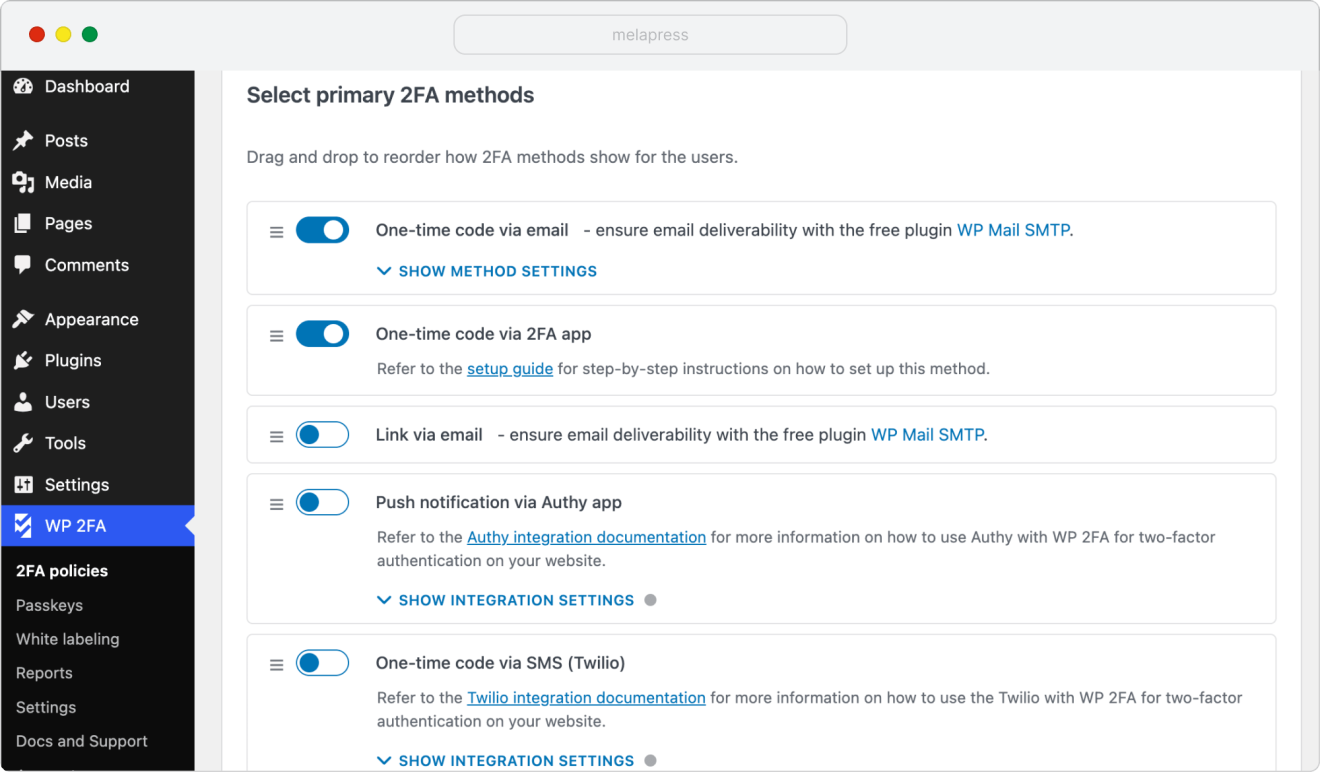
The available 2FA methods in the WP 2FA free version include:
- One-time code via email
- One-time code via 2FA app
The available 2FA methods in WP 2FA Premium include:
- Push notification via Authy app
- Link via email
- One-time code via SMS (Twilio)
- One-time code via SMS (Clickatell)
- One-time password via YubiKey
- One-time code via email (zero-setup)
Premium-only methods are marked with a Premium label in the plugin interface.
WP 2FA also supports Passkeys. They let users sign in using a fingerprint, face recognition, device PIN, or compatible hardware security key (like YubiKey).
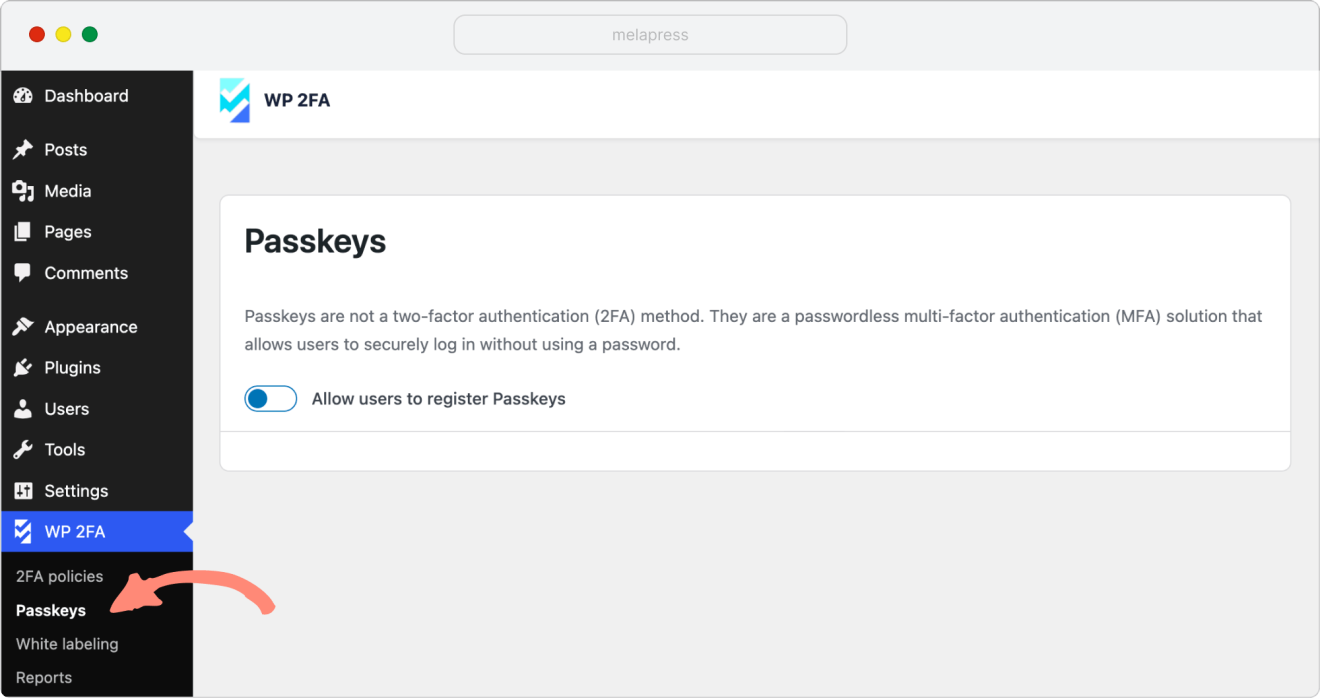
For setup instructions, check our Passkeys tutorial.
What happens when you disable a 2FA method?
When you disable one of the 2FA methods:
- Users can no longer select it when setting up 2FA.
- Users already using that method may need to reconfigure 2FA with another available method.
Before disabling a method, make sure at least one suitable 2FA method remains enabled for your users.
Which 2FA methods should you enable?
The best 2FA methods to offer depend on your users and your website’s security requirements.
Authenticator apps that generate one-time codes are a good option for most websites because the authentication code is generated on the user’s device and does not depend on email or SMS delivery.
Email and SMS methods can be more convenient for users who cannot or do not want to use an authenticator app. However, their security also depends on the security of the user’s email account or mobile service. They can still be useful when ease of setup and accessibility matter.
You can enable more than one method so users can choose the option that works best for them. If your organization has specific security or compliance requirements, make sure the methods you enable meet those requirements.
For more information about the different authentication methods and how they work, refer to our two-factor authentication and WordPress guide.
