


Updated on 9 July, 2026 by Robert Abela
A Fresh New UI for WP 2FA: Simpler, Faster & Easier to Use
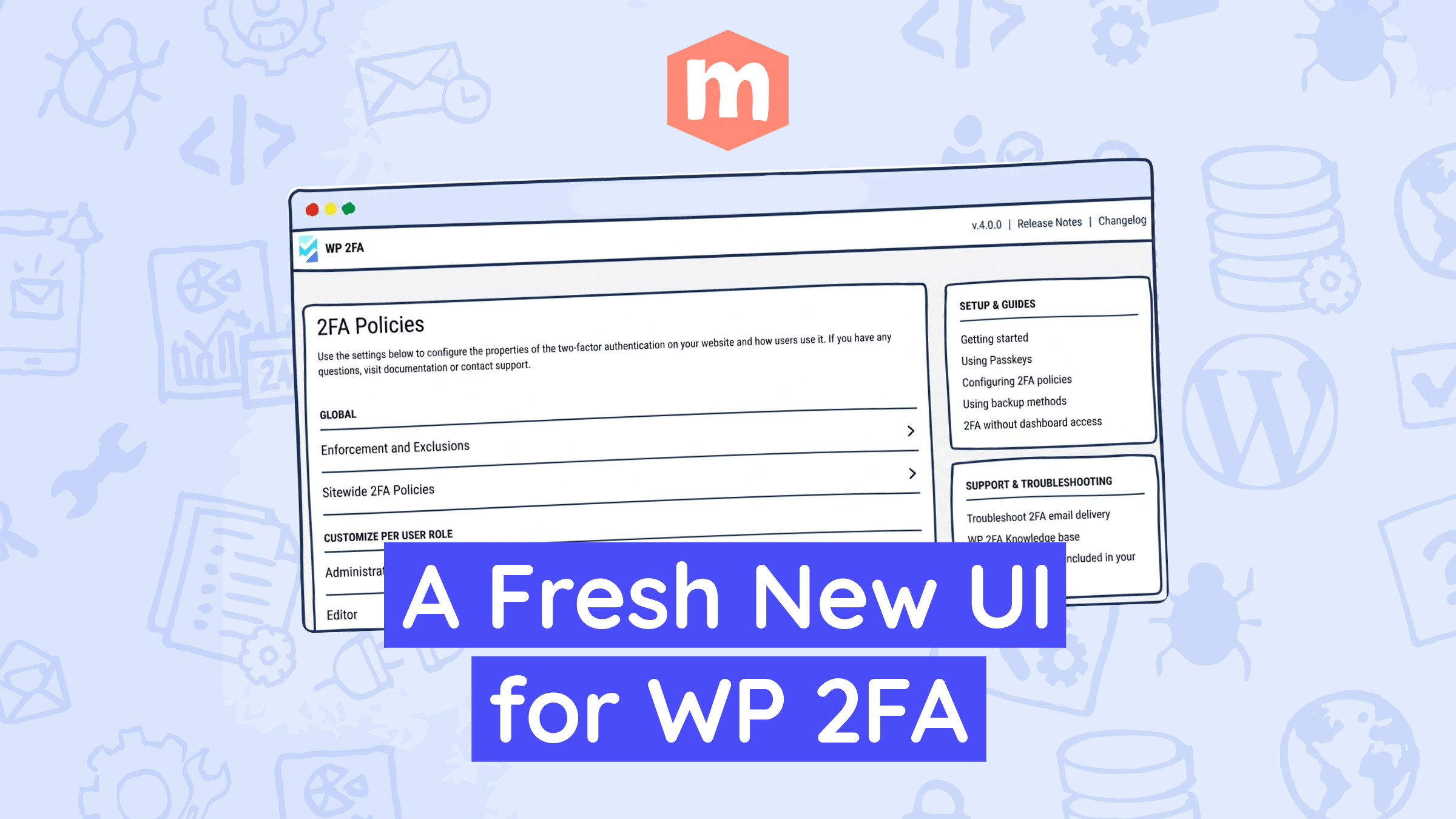
We’re excited to announce that WP 2FA 4.0.0 is now available, introducing a brand-new user interface for the plugin. This release gives WP 2FA a cleaner, more modern user experience, with improvements across the setup wizard, plugin settings, navigation, and day-to-day configuration screens.
Over the years, WP 2FA has grown from a simple two-factor authentication plugin into an extensive multi-factor authentication solution trusted by businesses, agencies, and enterprise teams worldwide. As the plugin became more powerful, the interface needed to become easier to work with too. This post gives you the rundown of the highlights and important changes in this release.
Note: For a limited time, we are giving free WP 2FA users access to direct support while you get used to the new interface. Premium and Enterprise customers continue to have access to support as usual. If something looks unclear, does not work as expected, or you cannot find a setting, please let us know.
Table of contents
What has changed in WP 2FA?
The new WP 2FA interface focuses on these main areas:
- A cleaner, more modern interface
- Improved navigation and a more intuitive user interface
- Easier onboarding for new users
- Better visibility into security settings and authentication methods
- A more consistent experience across free and premium features
The previous interface worked great, but some settings had started to feel crowded. As WP 2FA gained more features, several configuration screens became longer and harder to scan. This made it less obvious where to find specific settings, especially for users managing 2FA policies across different roles, authentication methods, and user groups, and to discover additional functionality available across different plans.
A cleaner, more modern interface
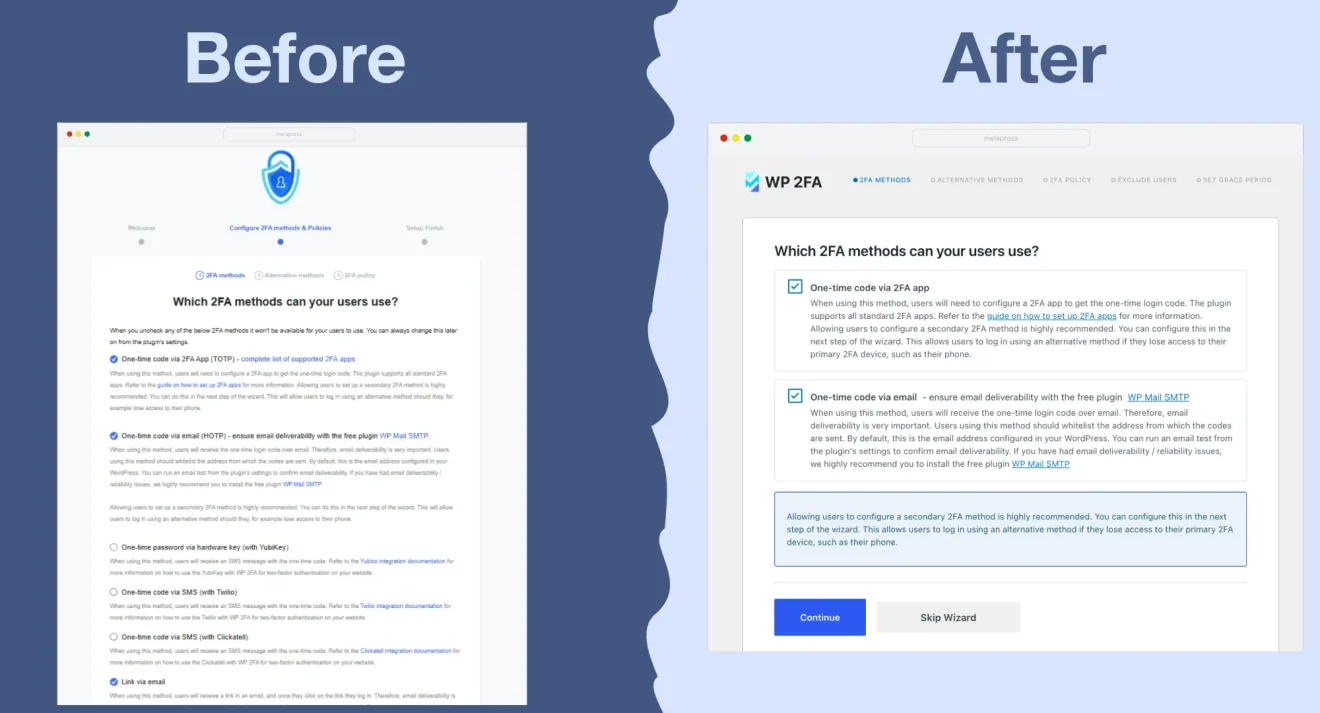
The new UI addresses this by providing settings with a clearer structure, shorter sections, cleaner screens, and better separation of related options.
Improved navigation and a more intuitive user interface
Security plugins can become difficult to manage when all settings live on a single long page. You know the option is there somewhere, but finding it can feel like looking for one specific receipt in an overstuffed filing cabinet.
The new WP 2FA UI makes settings easier to scan by grouping related options more clearly. Instead of forcing users to scroll through large blocks of settings, the new interface uses cleaner placement, smaller sections, and more focused screens.
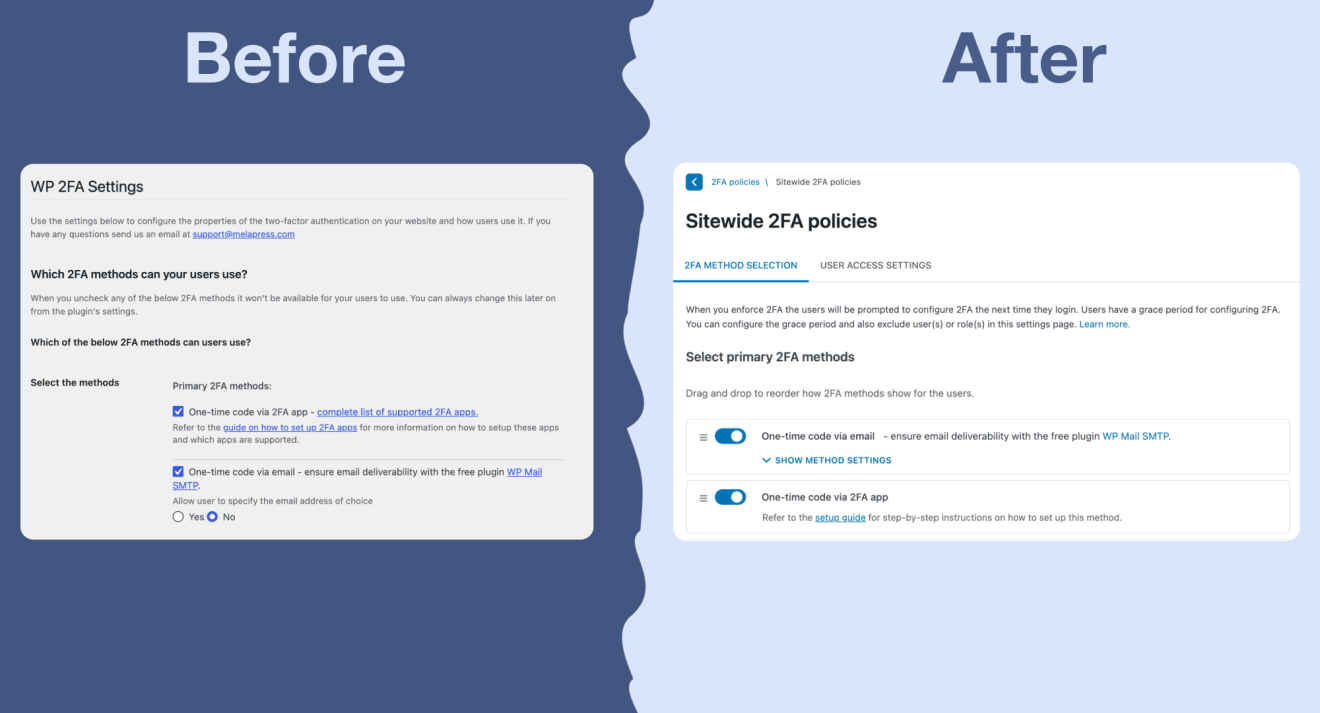
This aims to help with your everyday tasks such as:
- Reviewing 2FA policies
- Updating authentication methods
- Checking user enforcement settings
- Finding email, grace period, and trusted device options
- Understanding which features are available in each plan
Easier onboarding for new users
The setup wizard has also been refreshed to make the first-time configuration process easier to follow.
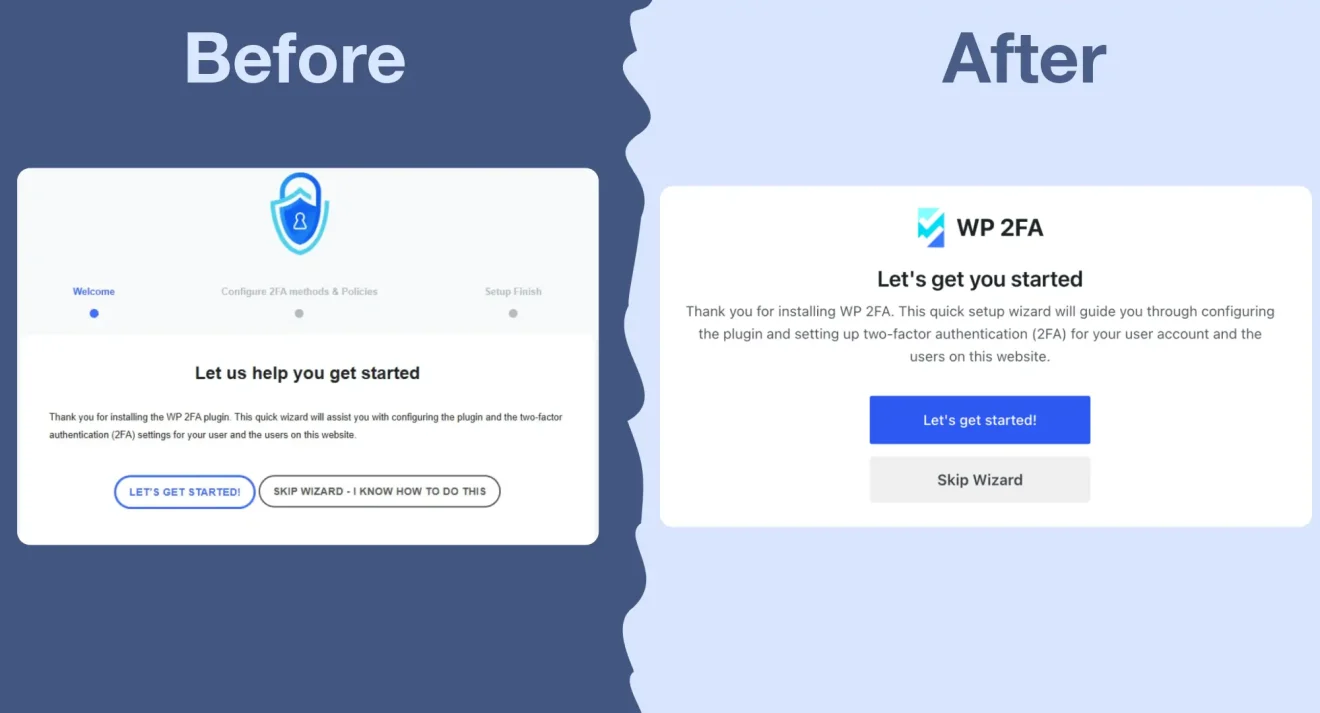
This is especially important for new users. If the setup process feels unclear, it is easier to miss an important setting, delay enforcement, or leave users without a clear path to configure 2FA.
The updated wizard helps you move through the main setup steps more easily, including:
- Choosing available 2FA methods
- Selecting backup or alternative methods
- Deciding whether to enforce 2FA
- Excluding users or roles where needed
- Setting a grace period
- Configuring 2FA for your own account
If your users are setting up 2FA with an authenticator app, you can also share our guide on configuring WordPress 2FA with your preferred 2FA app. It includes steps for several popular apps, including Google Authenticator, Microsoft Authenticator, Authy, Duo Security, FreeOTP, and Okta Verify.
Better visibility into security settings and authentication methods
The redesigned interface also makes it easier to understand what WP 2FA can do across different plans.
Some Premium and Enterprise features will now appear directly in the UI (disabled), helping our users better understand what additional functionality is available in upgraded plans.
Our goal with this is simple: make it easier for users to discover the tools they need to secure their WordPress websites effectively.
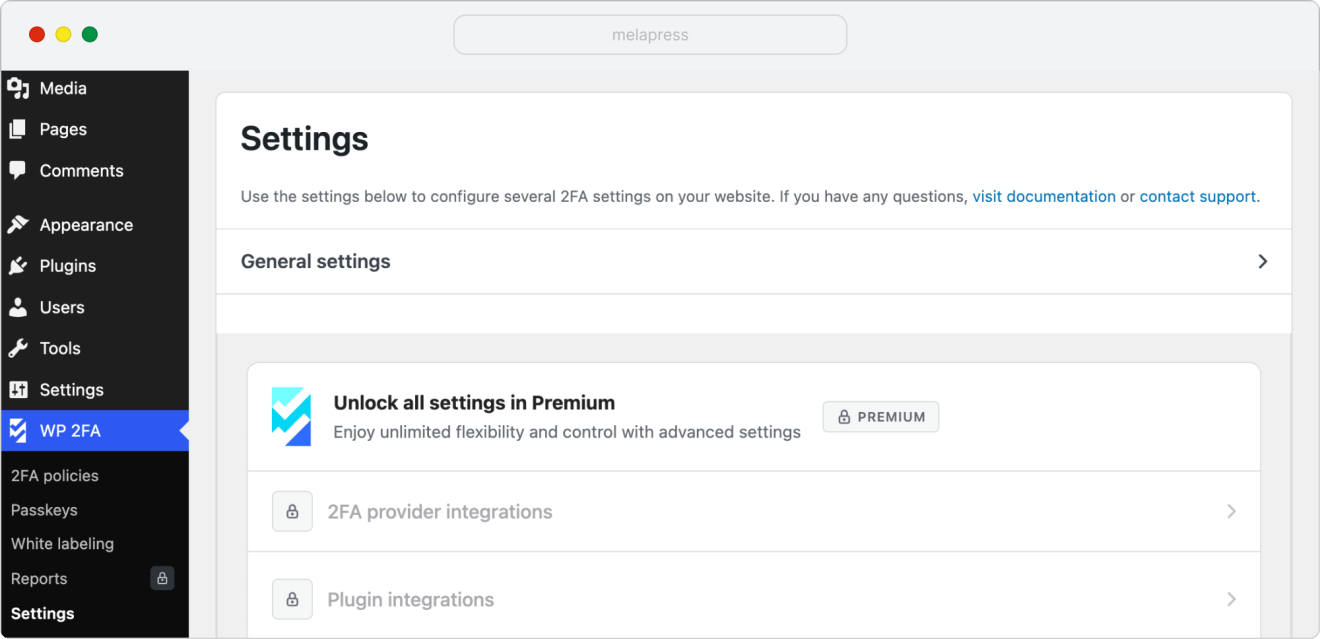
A more consistent experience across free and premium features
As part of this release, we are also simplifying the way white labeling features are structured across WP 2FA plans.
Freemium users will still be able to customize the 2FA code page.
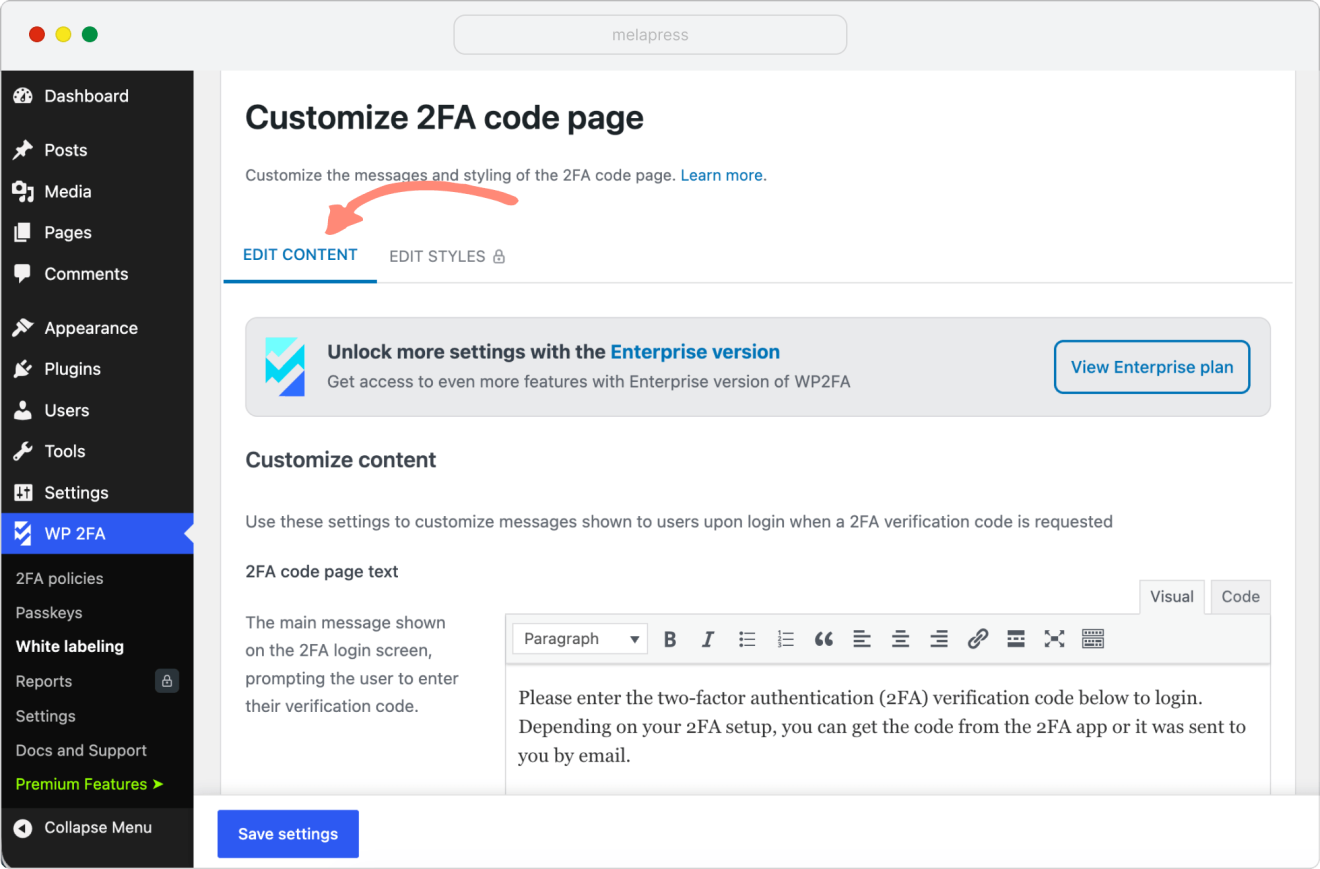
However, email template editing and more advanced white labeling options will now be included with the Enterprise plan. These include:
- Customizing email templates
- Customizing the 2FA setup wizard
- Customizing 2FA user prompts and notifications
- Customizing the 2FA user profile page area
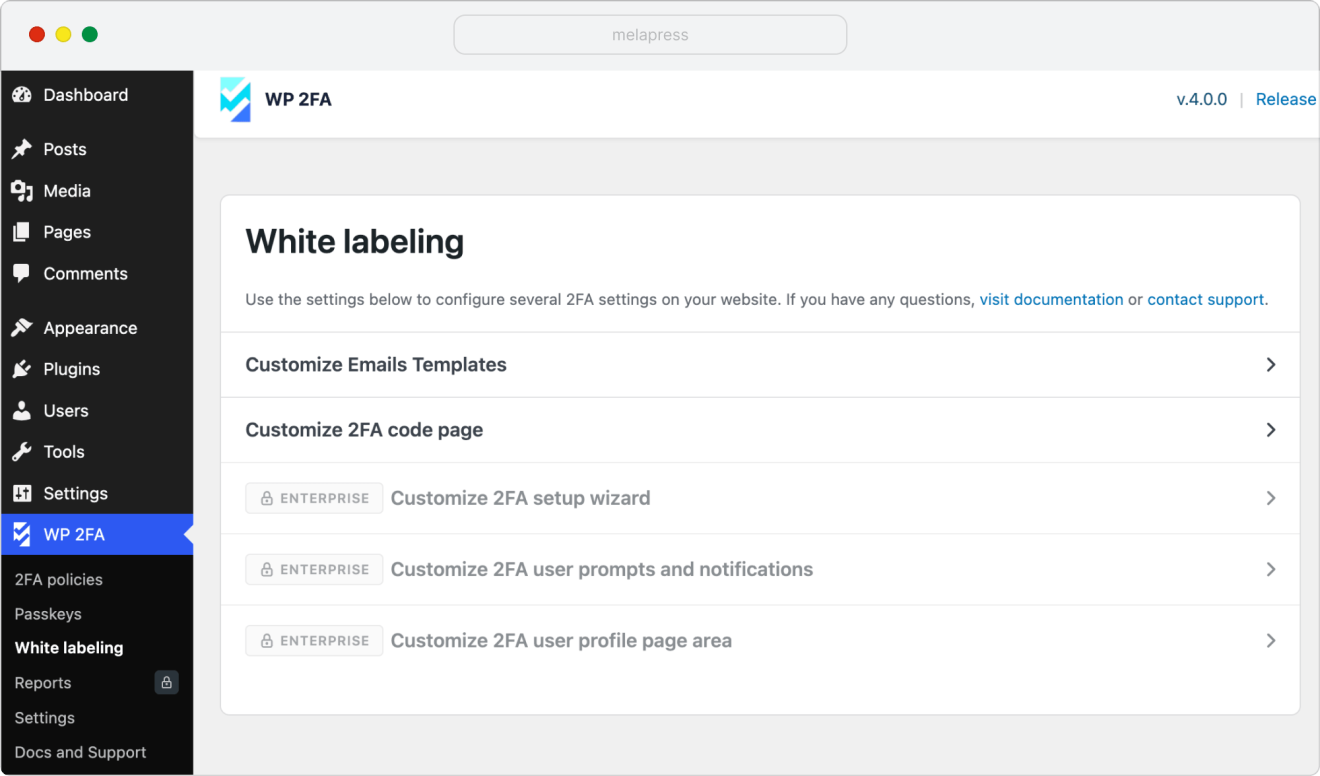
These options are typically used by organizations that need tighter control over the full 2FA experience their users see, such as larger teams, agencies managing client environments, and businesses with internal security or branding requirements.
Note: Any existing email customizations will continue to work as they do today. This change only affects future edits to email content.
We are making this change to keep the plan structure clearer and better aligned with how our customers use WP 2FA. Premium remains focused on flexible 2FA management, while Enterprise includes deeper customization options for organizations that need more control over the user-facing experience.
Try the new WP 2FA interface
You can now download WP 2FA 4.0 from the WordPress.org repository or from your Melapress My Account page.
After updating, take a few minutes to explore the refreshed settings, setup wizard, and policy screens. If you already use WP 2FA, your existing configuration will remain in place, but the way you manage those settings should now feel cleaner and easier to follow.
If you are using the free version and need help during the transition, we’re offering free support for a limited time. If you are a Premium or Enterprise customer, support remains available as usual.
We are continuing to improve WP 2FA based on how you use it in the real world, so if you have any feedback, points for improvement, or you run into anything that you’re unsure about, please let us know.
Thank you for helping us make WP 2FA better with every release!