


Updated on 10 July, 2026
What is the user 2FA status?
When you install the WP 2FA plugin on your website, a new column called 2FA Status is added to your Users list view in WordPress. In this column, you can see what is the 2FA status of a user. The column is highlighted in the screenshot below.
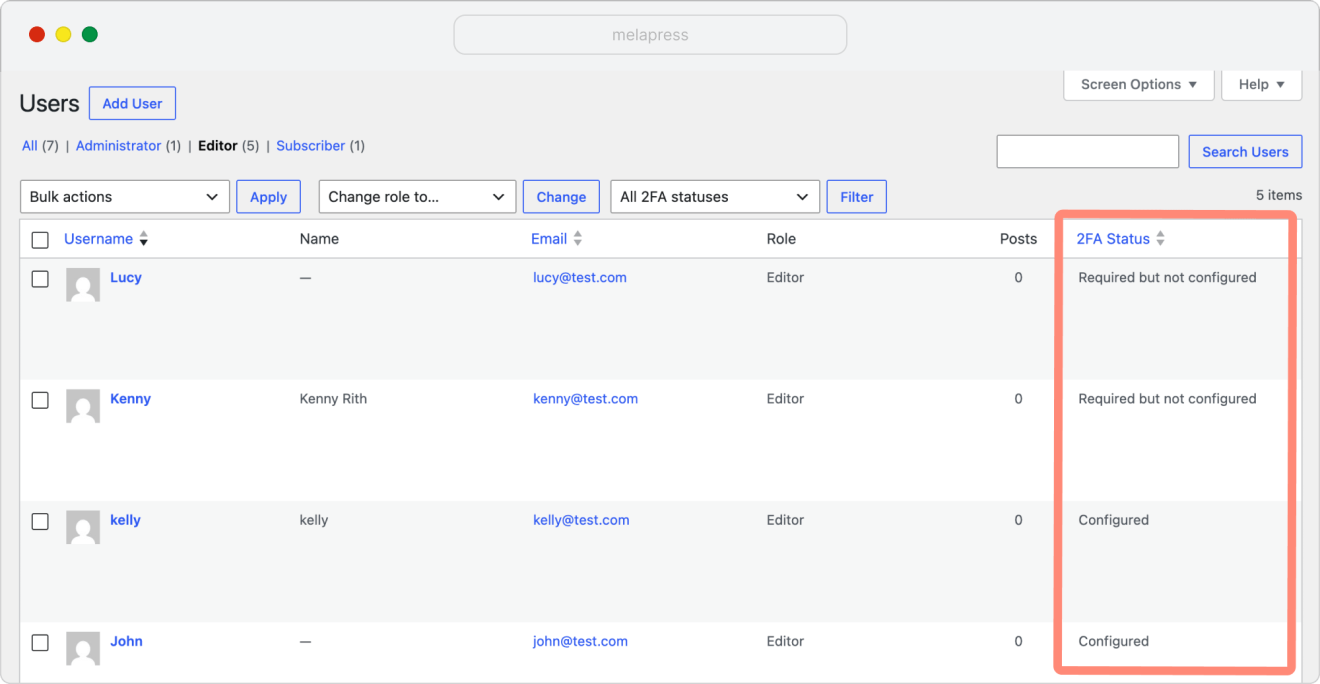
The WP 2FA plugin has the following user 2FA statuses:
- Configured: The user has successfully configured 2FA
- Configured (but not required): The user has configured 2FA however, they are not required to configure 2FA
- Required but not configured: The user is required to configure 2FA via the 2FA policies but has not configured 2FA yet
- Not required & not configured: The user is not required to configure and use 2FA
- Not allowed: The user is not allowed to configure 2FA
- Locked: The user is required to configure 2FA but has not configured it within the required time, hence, they were locked
- User has not logged in yet, 2FA status is unknown: Since WP 2FA updates user status on login, if the user has not logged in since policy configuration, the status will be listed as unknown
