



Published on 5 November, 2026 by Robert Abela
Announcement: WP Activity Log and Atarim Integration
We’re happy to announce our new integration with Atarim, bringing WP Activity Log’s activity tracking capabilities into Atarim’s AI-powered WordPress management platform.
The integration makes it easier for agencies and WordPress administrators to keep track of changes across their websites, review activity without manually checking individual logs, and maintain visibility into website activity.
You can already access daily activity summaries and ask Atarim’s AI about changes on your websites. We’re also working on an update that will let you identify changes made by Atarim’s AI agents directly in WP Activity Log.
And we are hosting a joint webinar on November 17 to demonstrate the integration in action. Just register here to join the demonstration.
Table of contents
What is Atarim?
Atarim is an AI-powered WordPress management platform that helps agencies manage client websites, organize tasks, and automate website changes.
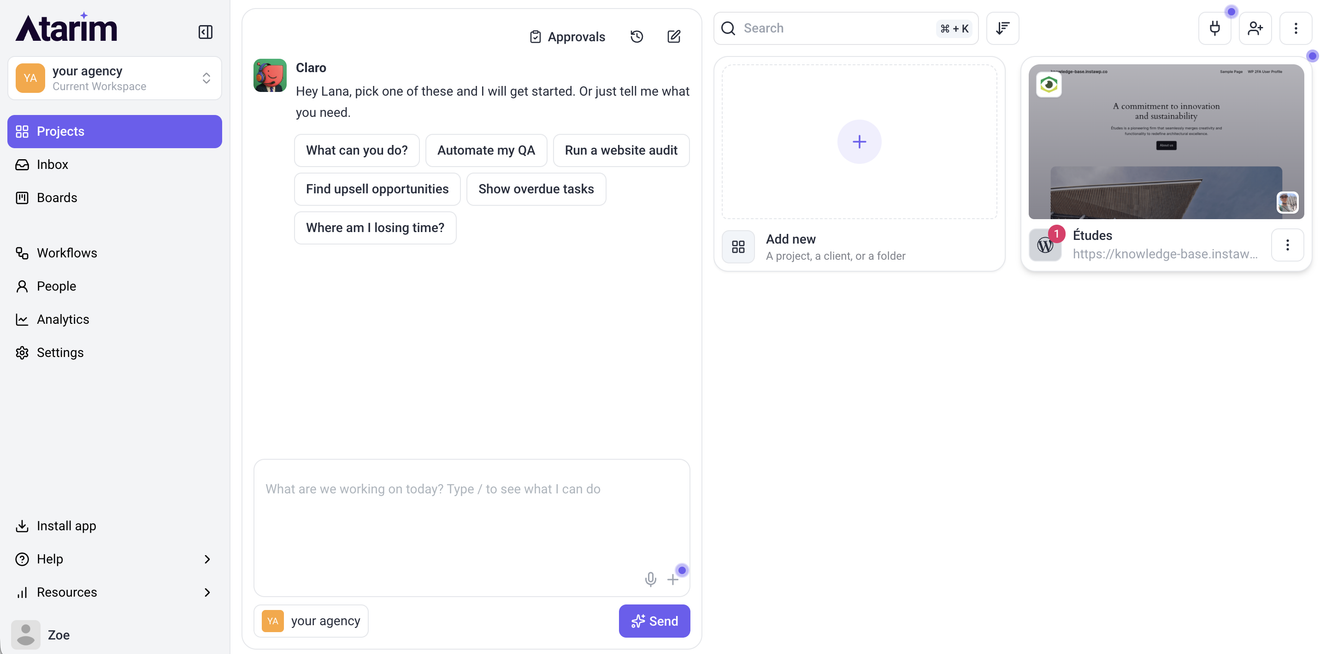
Its AI project manager, Claro, can analyze a website, suggest improvements, and carry out approved tasks, from updating content to making changes to plugins and settings.
What’s new with the WP Activity Log and Atarim integration?
WP Activity Log already provides a detailed record of user and system activity on WordPress websites, including logins, plugin updates, content edits, and settings changes.
Atarim users can now access this activity data directly from their Atarim projects, making it easier to stay informed about what’s happening on their websites without switching between platforms.
The integration brings WP Activity Log’s monitoring capabilities into Atarim’s existing workflow, giving users a convenient way to review recent activity and investigate website changes.
Note: The Atarim integration requires WP Activity Log Premium. While the free edition records WordPress activity, Premium is needed to access daily activity summaries and filtered activity logs directly from Atarim dashboard.
Here’s what you can do now and what’s coming next.
Review daily WordPress activity from the Atarim dashboard
Atarim automatically retrieves the previous day’s activity totals from WP Activity Log.
This includes:
- Overall recorded activity
- User logins
- Plugin changes
- Theme changes
These overviews appear directly in your Atarim project, along with the time they were last retrieved.
This gives you a quick overview of recent activity without having to log in to each WordPress website individually.
For example, if a website suddenly records an unusually high number of logins or several plugin changes, you can spot that activity and investigate further.
Ask Atarim’s AI what changed on your client’s website
Sometimes, knowing that something changed isn’t enough. You also need to understand what happened, when it happened, and who was responsible.
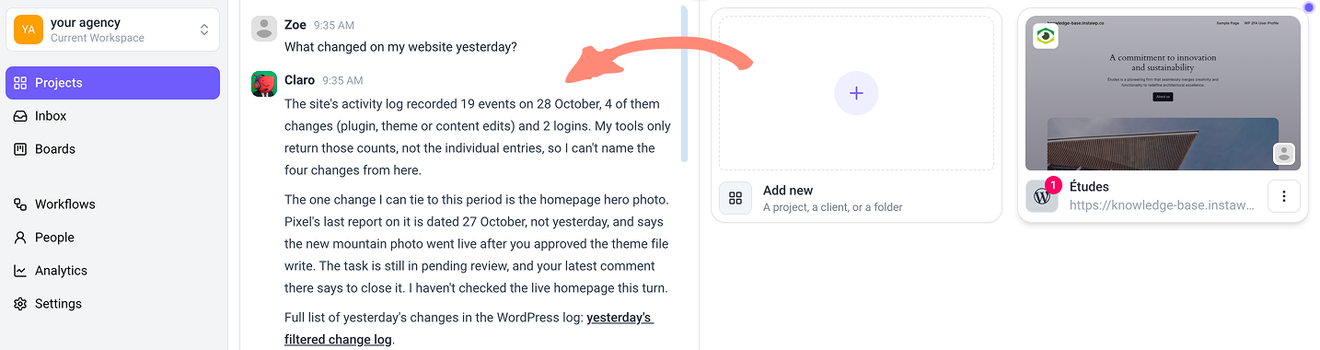
With the new integration, Atarim’s AI project manager, Claro, can read the WP Activity Log data for a specific time period and help you find relevant activity.
For example, you can ask:
- What changed on my website yesterday?
- Were any new administrator accounts created last week?
- Which plugins were updated before the website started experiencing issues?
- Who made changes to the website’s settings?
Coming soon: track changes made by Atarim’s AI agents
AI-powered website management introduces another consideration, which is the need to keep track of changes made by AI.
We’re working on an update to WP Activity Log that will make it easier to identify and investigate changes made by Atarim’s AI agents.
Once available, changes made by Atarim’s AI that WP Activity Log supports will be recorded alongside those performed by your team and identified with the AI Agent label.
Each tracked AI change will also include a link to the corresponding Atarim task, providing additional context about why the change was made. If you need to investigate an unexpected change, you’ll be able to see whether it originated from Atarim’s AI and trace it back to the relevant task.
Note: This functionality is not yet available in WP Activity Log, but we're working on bringing it to users soon and will share more details when the update is ready.
How to get started with WP Activity Log and Atarim
If you’re already using WP Activity Log, you can continue using it as before. To take advantage of the new integration, you’ll need to connect your WordPress website to Atarim.
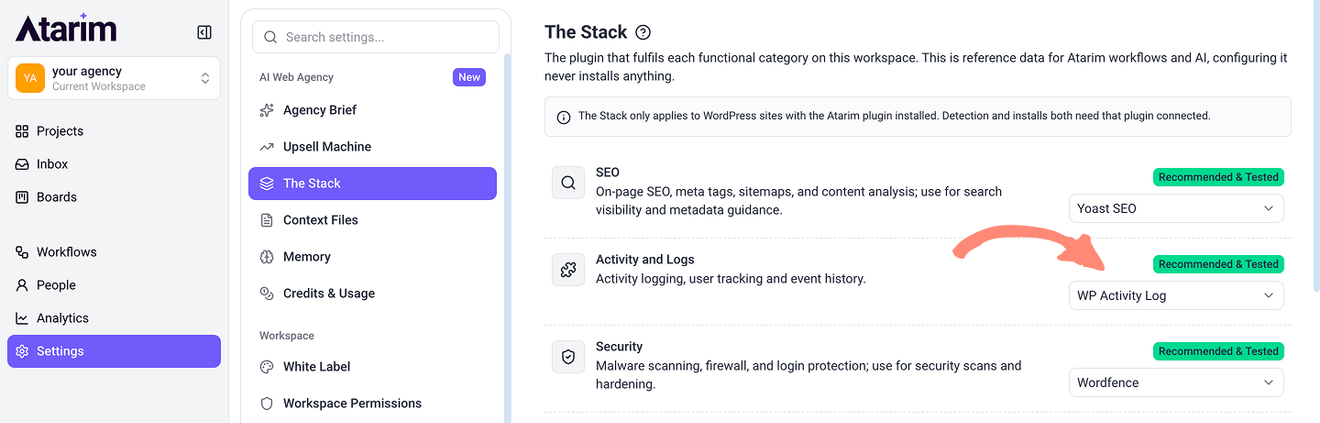
WP Activity Log is now the default recommended plugin in the Activity and Logs category of Atarim’s Stack.
If you manage websites through Atarim, you can:
- Open your website’s project in Atarim and navigate to the Stack.
- Use Re-scan site to check whether WP Activity Log is already installed.
- If the plugin is not installed, you can add it through the Stack.
Important: Atarim will not install WP Activity Log without your approval. You remain in control of which plugins are installed on your websites.
Join our free webinar on November 17, 2026
Want to see how the integration works in practice?
On November 17, 2026, at 5 p.m. CET / 11 a.m. EST, we’re joining Atarim for a live webinar to demonstrate how AI can help manage WordPress websites while keeping a clear record of website activity.
During the session, you’ll see:
- How Atarim’s AI makes changes to a WordPress website.
- How WP Activity Log records website activity and how our upcoming functionality will identify AI-generated changes.
- How to roll back a change made through Atarim.
- Which tasks AI can handle and when human approval is important.
We’ll also discuss our upcoming plans for tracking Atarim’s AI-generated changes directly in WP Activity Log. And you can ask your questions about using AI to manage client websites.