


Updated on 16 April, 2026 by Joel Barbara
How to prevent WordPress website & admin password hacking
Bad actors are always on the lookout for websites that they can hack. There are many different things that can motivate a hacker to try and hack a WordPress website. For instance, they might want to distribute spam, inject malicious links, steal confidential data, and so on.
One way to hack WordPress sites is to successfully guess the admin account username and password.
In this tutorial, we will show you some great ways you can protect your WordPress website from those out to hack your WordPress admin password.
Table of contents
- Top 10 tips for protecting your WordPress website admin password from hackers (+ 1 bonus)
- 1: Implement login and password policies
- Bonus password tip: Don’t use the same password across multiple services
- 2: Keep all software up to date
- 3: Choose a unique username
- 4: Use two-factor authentication
- 5: Use TLS certificates
- 6: Add CAPTCHA to your forms
- 7: Password-protect wp-admin
- 8: Don’t use pirated (nulled) copies of themes and plugins
- 9: Use a random table prefix
- 10: Remove exposed backup files
- Bonus: Use an activity log
- Conclusion
- FAQs
Top 10 tips for protecting your WordPress website admin password from hackers (+ 1 bonus)
There are a few procedures that you can follow to significantly reduce the chances of a bad actor cracking or stealing your WordPress admin password. Keep in mind that no system is 100% secure. The more of the below procedures you implement, the more secure your WordPress website will be.
1: Implement login and password policies
Did you know that 41% of WordPress users who are worried about the use of weak passwords don’t enforce any kind of password policies? This is just one of many interesting WordPress statistics we uncovered in our yearly security survey.
Implementing strong login and password policies will make it harder for bad actors to guess your admin password. Adding a few extra characters and avoiding dictionary words (including disambiguations) make passwords exponentially harder to crack.
Consider this. A password made up of 8 numbers can be cracked in under a minute. Doubling the number of characters means the time to crack that password shoots up to well over 100 years. However, there is no need for such a large number of characters to maximize security. By balancing complexity and length, you can attain the best of both worlds.
Melapress Login Security is our very own WordPress plugin designed to help you secure different aspects of your WordPress login, including passwords. It offers several functions and features to help you mitigate threats posed by attacks. The plugin also offers one-click support for third-party plugins such as WooCommerce, LearnDash, BuddyPress, and more.


Set login & user security policies such as limit login attempts, login page hardening, and much more.

Here are some of the Melapress Login Security features that will help you boost your WordPress sites’ security. These features act as roadblocks and make it extremely hard for hackers to succeed in their attempts to crack passwords.
Enforce strong passwords
Melapress Login Security includes a password policy feature to help you enforce the use of strong passwords throughout your WordPress website.
One big advantage of the plugin is that policies can be configured based on user role. This means that you can have strict password policies for the admin account while relaxing them a bit for any other user account.
Change the default login address
The WordPress login page is easy enough to find since its URL is standard for all WordPress installations. However, we can easily change the URL to make it more difficult to find. As Muhammad Ali famously said, the hands can’t hit what the eyes can’t see. So, too, can’t bad actors attack what they cannot find.
Melapress Login Security allows you to simply change the default login address, in what is known as security by obscurity. While this alone won’t stop persistent bad actors from finding the login page, it does hinder their process.
Limit failed login attempts
Brute force attacks rely on trying out different username and password combinations until one of them grants access. Melapress Login Security has an option to automatically block users after a number of failed login attempts.
By limiting the number of login attempts, you remove the one thing brute force attacks rely on. This, coupled with a strong password policy, makes it near-impossible for brute-force attacks to succeed.
Geo-blocking
Geo-blocking allows us to allow or deny traffic based on the country of origin by looking at the source IP. You can block traffic from specific countries or allow traffic from specific countries only. This risk-reduction measure can enable you to block traffic from countries where attacks might originate, thus reducing your attack surface.
Bonus password tip: Don’t use the same password across multiple services
Credential stuffing is a technique often used by bad actors. It involves using passwords stolen from other sites on different sites, hoping their target is using the same password across multiple services.
As such, it is very important not to use a single password to log in to multiple websites or services. Otherwise, a breach in one place could compromise your other accounts.
We understand that it isn’t possible to create complex passwords for all your accounts and remember them for logging in. Therefore, we suggest that you use a password manager. These will provide you with the required security without the stress of remembering all the unique passwords.
2: Keep all software up to date
As we mentioned earlier in this post, outdated WordPress core, themes, and plugins can have security vulnerabilities that can result in compromised WordPress sites.
Attackers may try to exploit these software vulnerabilities to launch attacks such as XSS (Cross-Site Scripting) and SSRF (Server-Side Request Forgery), among others. From time to time, developers release new updates that fix these vulnerabilities.
To minimize risk, make sure WordPress plugins, themes, and WordPress itself are always up to date.
Consider using a WordPress updates policy to maintain consistency, whether you choose to test updates in staging or enable auto-updates.
3: Choose a unique username
The message that WordPress shows to users after an unsuccessful login attempt differs depending on whether they entered an existing username or not. This makes it easy for attackers to determine if an account with a particular username actually exists on a WordPress site.
If an admin account on your WordPress site actually uses the username admin, it gives bad actors a leg up in hacking the WordPress admin password. WordPress will let them know that a user account with the username admin actually exists on the website. This allows bad actors to focus their energy on figuring out the password.

As such, you should consider using a random and unique admin username to make it harder for hackers to crack your login information.
4: Use two-factor authentication
Let’s say a hacker was able to guess or steal a username and password combination that would allow them to log into a user account. You can still prevent them from accessing the user account by enabling two-factor authentication.
With two-factor authentication in place, attackers will need to verify their identity using another authentication factor. The second factor could be a passcode sent to their email address, phone, or a 2FA app.
Our WP 2FA plugin offers some great features that make it an excellent choice for implementing two-factor authentication on your WordPress site with minimal fuss. Its rich set of features ensures users find little friction in using 2FA when logging in to your WordPress website.


Add two-factor authentication and increase security with multiple methods to choose from.
5: Use TLS certificates
When using TLS certificates, all communication between WordPress and browsers is encrypted and thus unreadable to any third parties. Encryption protects you from attacks such as man-in-the-middle attacks.
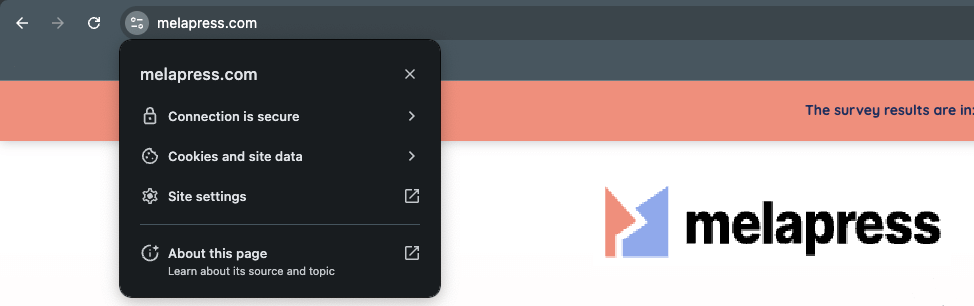
In these attacks, bad actors position themselves between the WordPress website and your browser, ensuring all data flows through them. Unencrypted data is sent as plain text, making it easy to see your password. On the other hand, encrypted data cannot be easily deciphered, keeping your password safe.
And always opt for SFTP
Speaking of TLS, opting for SFTP over FTP is just as important.
An FTP client relies on the File Transfer Protocol to transfer files from your local computer to the web server and vice versa. There are many different file transfer protocols, such as FTP, FTPS, and SSH.
You should always transfer files over FTPS or SSH as these are secure file transfer protocols. Using a non-secure file transfer protocol poses a security risk because it sends all data, including your login credentials, in plain text.
6: Add CAPTCHA to your forms
As we mentioned earlier, hackers will typically try different username and password combinations to gain access to a user account via brute force attacks. Most of these brute-force attacks are automated. This means that you can stop almost all such attacks by adding CAPTCHA to your login form. CAPTCHAs can play an important role in protecting your WordPress site against spam and attack bots.

CAPTCHA 4WP plugin is an excellent WordPress plugin that adds a CAPTCHA to any form on your WordPress websites. The plugin protects all WordPress forms and login pages and is fully compatible with third-party plugins like WooCommerce, Contact Form 7, Gravity Forms, etc.
Here are some features of CAPTCHA 4WP that make it an effective and user-friendly CAPTCHA solution:
Configure CAPTCHA failover
Some CAPTCHA tests, like Google reCAPTCHA v3, are fully automated. Failing any of these tests could prevent your customers from doing whatever they intend to do on your site. CAPTCHA 4WP allows you to configure a failover where it prompts them to solve another CAPTCHA and proceed further.
Choose from multiple CAPTCHA providers
CAPTCHA 4WP supports multiple CAPTCHA service providers, including Google reCAPTCHA, hCaptcha, and Cloudflare Turnstile. The user-friendly wizard allows you to integrate any of these services.
Whitelist IP addresses and users
The plugin also gives you the option to whitelist users and IP addresses that you think are trustworthy. This helps strike a balance between usability and security on your WordPress website.
7: Password-protect wp-admin
You can add an extra layer of security by setting up HTTP authentication. Configured at the web server level, this security measure protects specific pages rather than your entire WordPress installation. In doing so, you can require HTTP authentication to the login page, while leaving the rest of the site accessible to visitors and customers.
And use appropriate file permissions
The WordPress file system consists of multiple files and directories with specific roles. Some of them like the WordPress wp-config.php file store important information related to your website configuration. Not everyone should be able to access such files.
When determining a file’s permissions, it is a good idea to follow the principle of least privilege. This principle states that you should not grant a user account, process, or program more access rights than what it requires to complete the task at hand.
8: Don’t use pirated (nulled) copies of themes and plugins
WordPress itself is open-source and free to use. There are also some free plugins and themes that you can install to get your WordPress site up and running. You will usually find a free lite version of some plugins and can pay to get more features.
Developing high-quality themes and plugins takes a lot of time and effort. Charging for these themes and plugins helps the people developing them earn a living.
You might be tempted to use pirated (nulled) versions of these plugins and themes in order to save money. However, that can result in a hacked WordPress site. The nulled themes and plugins could contain malicious code or major security vulnerabilities.
The malicious scripts that they injected into the plugins or themes could be used to gain direct access to your site’s database, insert links to malware in your posts, send spam, and so on.
9: Use a random table prefix
You probably already know that WordPress stores almost all information about your website in a database. The tables in this database use the prefix wp_ by default.
Changing the default WordPress table prefix can improve your website security. Deviating from the default configuration can reduce the threat of automated attacks. Using a random prefix can also mitigate any threat posed by SQL injection attacks.
10: Remove exposed backup files
Sometimes, WordPress admins or other authorized individuals need to make changes to certain files. It is always a good idea to create a backup of those files. This allows you to easily restore those files to their previous state in case of any errors.
Problems can arise when some people keep these backup files on their servers where they are publicly accessible. Let’s say you created a backup of the wp-config.php file called wp-config.bak. If you forget to move the backup file to a safer location later, hackers might be able to access it. This poses a serious security threat as wp-config.php contains a lot of sensitive information about your site. You might want to read up on improving privacy and security of WordPress files, including backup files.
Bonus: Use an activity log
A busy WordPress site can actively experience changes in its content, configuration, and user-related data. Manually keeping track of all these changes is impractical. Luckily, you can use the WP Activity Log plugin to automatically keep track of all such changes.
One good thing about the WP Activity Log plugin is that it can send you instant SMS and email alerts when it logs critical site changes. You can also manage user sessions in real-time. The plugin allows you to terminate sessions remotely and automatically terminate idle sessions, among other things.
The plugin also keeps a detailed record of all the changes that happen on your site. This allows you to track down the date and time at which a specific change occurred, the user who made the change, the IP addresses, and other critical data.
All the tips that we have mentioned so far will help you mitigate threats from attackers who are trying to crack or steal your admin passwords.
However, bad actors might be able to exploit vulnerabilities in other areas of your WordPress site to create new accounts with administrator privileges. They usually do so by injecting malicious code into WordPress files like functions.php. Here, you can use Melapress File Monitor to monitor file changes to your website. The plugin scans your website files for changes and alters you whenever changes are detected. The plugin is completely free and integrates well with WP Activity Log for a solid monitoring solution.
Conclusion
In this tutorial, we discussed different techniques that bad actors can use to hack WordPress websites by cracking or stealing admin passwords.
It is possible to significantly reduce the threat posed by such hackers to your website by installing security plugins.
For instance, you can stop a lot of automated attacks and spam bots by simply installing the CAPTCHA 4WP plugin.
Similarly, the MelaPress Login Security plugin allows you to configure strong login and password policies that can make it very hard for attackers to figure out user account passwords.
The WP 2FA plugin provides an additional layer of security with two-factor authentication in case attackers are somehow able to correctly guess or steal a password.
Following the general security tips that we have listed in this article will help you harden your WordPress website security.
FAQs
How do I secure my WordPress admin login?
There are a few things that you can do to harden your WordPress login security. For instance, you could change the WordPress login URL, limit the number of login attempts, and implement a strong password policy.
Can I change WordPress admin URL?
Yes, it is possible for you to change the WordPress admin URL. In fact, we recommend that you change the login URL to something random to improve the security of your WordPress site.
Can I delete WordPress admin user?
Yes, it is certainly possible for you to delete a WordPress admin user. However, you first need to create an alternative admin account. It is also a good idea to regularly audit all user accounts on your WordPress site to see if any of them have privileges that they shouldn’t have.